Step 1
Describe the issue
Tell the AI what's happening. Hydraulics not responding? Strange noise? Warning light? Just type it in plain English.
"My skid steer hydraulics are slow to respond and there's a whining noise when I move the bucket"
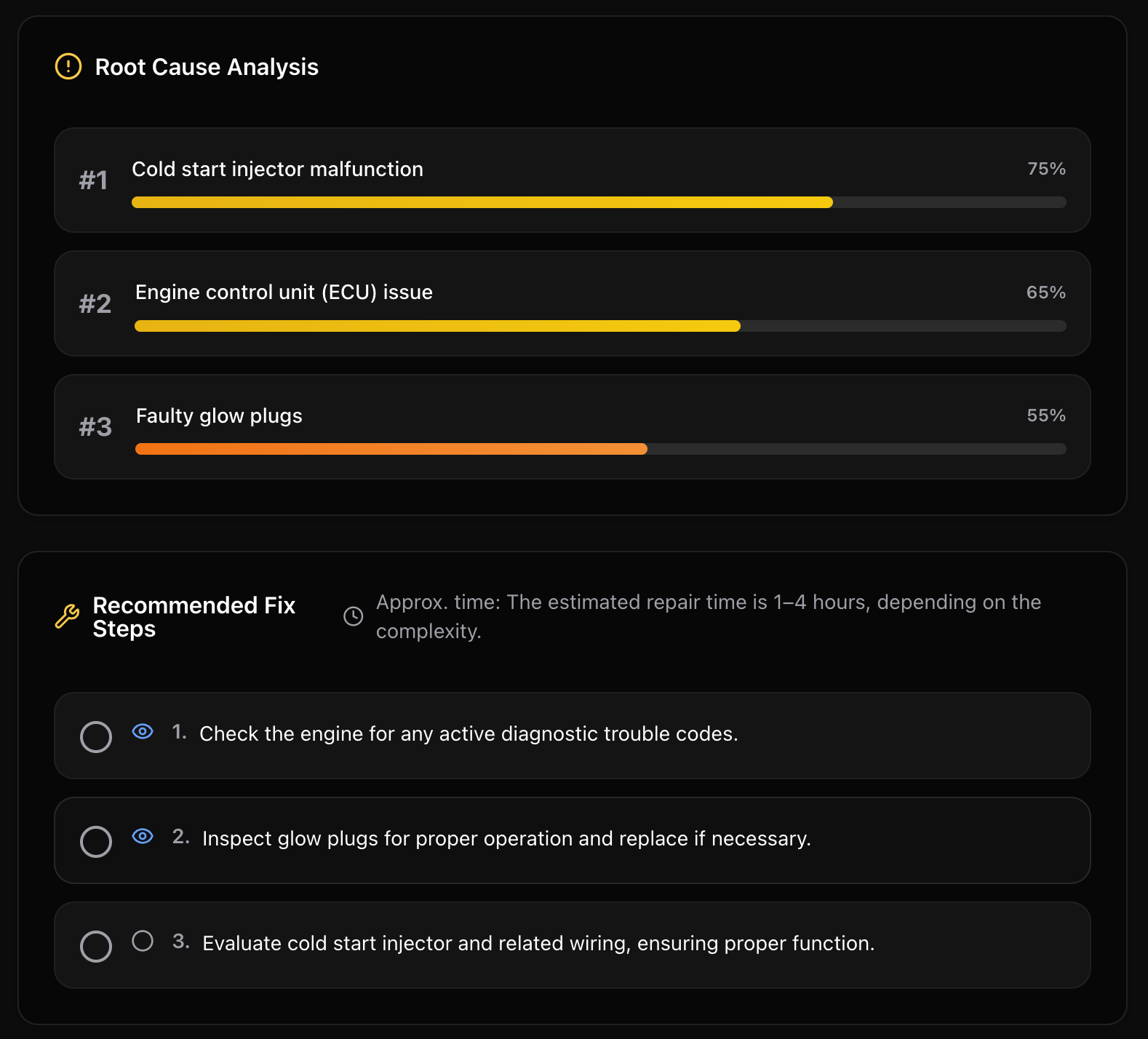
Describe the problem in plain words. Add a fault code or a photo if you have one. FieldFix researches your exact make and model, then tells you the most likely cause, how to fix it, and where it found the answer.
Get the most likely cause with a confidence level. No waiting for a mechanic to call back.
Step-by-step instructions with tools and parts needed. Know what to do next.
FieldFix searches owner forums, dealer and manufacturer pages, and parts sites for your exact make and model.
It tells you when to stop running the machine before a small problem gets expensive.
Tell the AI what's happening. Hydraulics not responding? Strange noise? Warning light? Just type it in plain English.
"My skid steer hydraulics are slow to respond and there's a whining noise when I move the bucket"
Every answer lists the sources it read, and you can ask follow-up questions. Treat it as a second opinion and check specs and safety steps against your operator's manual.
The most likely cause with how confident it is, a warning if you should stop running the machine, then other causes to check in order.
The tools and supplies the job calls for, so you have them on the truck before you start.
Step-by-step instructions you can tick off as you work down them with the machine in front of you.
A rough range for parts and labor and how long the job takes. Know what to budget before calling a shop.

Hard to describe? Snap a photo of the damage, leak, wear, or warning light and add it to your description. FieldFix's AI runs on Claude, by Anthropic.
Type the fault code from your machine's display into the Fault code box. Codes differ between manufacturers and model years, so FieldFix looks it up for your make and model, then works it into the likely cause and the fix.
It searches the web live for the code on your exact machine, so it isn't limited to a built-in list of brands.
Fault code lookup
Researched for your make and model
P0401
EGR Flow Insufficient - Check EGR valve, passages, and vacuum supply
U004337
Lost Communication With TCM - Check wiring, connectors, and module power
The diagnosis stays with the machine, and the repair goes in its history.
Tap Log the repair on a diagnosis and the service log opens filled in with the cause and the date. Add the hours, cost and who did it, then save it to the machine's history.
Service historyAsk about part numbers, specs, the next step or whether it's safe to keep running. Follow-up answers can list their sources too.
Diagnose helpDiagnoses on a saved machine show on its History tab next to every service and repair. All of them are under Past diagnoses.
How history works5 AI diagnoses a month on the free plan. No monthly limit on Pro (fair use: 60 a day).