Heavy Equipment Error Codes: The Complete Guide to Reading and Responding to Fault Codes
Learn how to read heavy equipment fault codes, understand severity levels, and respond correctly. Covers excavators, loaders, dozers, and more.
Key Takeaways
- Fault codes are your machine talking to you — ignoring them costs an average of $3,200 per incident in additional damage
- Not all codes are equal — learn the 4 severity levels and which ones mean “stop now” vs. “schedule service”
- Modern AI diagnostics can cross-reference codes with maintenance history to predict failures before they happen
- Document every code — even “ghost” codes that clear themselves tell a story over time
- A $50 code reader pays for itself on the first use — every operator should carry one
Your excavator’s dashboard just lit up like a Christmas tree. There’s a code flashing — maybe “E045” or “SPN 3521 FMI 7” — and your operator is on the radio asking what to do.
Do you shut it down? Keep running? Call the dealer?
The answer depends entirely on understanding what that code means, how serious it is, and what damage you’re risking by making the wrong call. And in this industry, the wrong call at the wrong time can turn a $200 sensor replacement into a $25,000 engine rebuild.
This guide breaks down everything you need to know about heavy equipment fault codes — from basic code structure to building a response protocol your entire crew can follow.
What Are Heavy Equipment Fault Codes?
Fault codes — also called diagnostic trouble codes (DTCs), error codes, or alarm codes — are standardized messages generated by your machine’s electronic control modules (ECMs). They’re the machine’s way of telling you something is outside its normal operating parameters.
Every modern piece of heavy equipment has multiple ECMs monitoring different systems:
- Engine Control Module — fuel injection, timing, emissions
- Transmission Control Module — shift points, pressures, temperatures
- Hydraulic Control Module — pump flow, valve positions, pressures
- Aftertreatment Control Module — DPF, SCR, DEF systems
- Machine Control Module — overall machine functions, safety systems
When a sensor reading falls outside its programmed acceptable range, the relevant ECM generates a fault code and stores it in memory. Some codes trigger immediate operator warnings. Others log silently, waiting for a technician to retrieve them.
Industry Standard: SAE J1939
Most heavy equipment manufactured after 2010 uses the SAE J1939 communication protocol. This standardized system uses SPN (Suspect Parameter Number) and FMI (Failure Mode Identifier) to create universal fault codes across manufacturers. An SPN identifies what component is affected, and the FMI tells you how it failed.
How Fault Code Systems Work
Understanding the structure behind fault codes takes them from cryptic numbers to actionable intelligence.
The Anatomy of a Fault Code
Most modern equipment fault codes follow the SPN + FMI format:
- SPN (Suspect Parameter Number): A number identifying the specific component or parameter. For example, SPN 100 = Engine Oil Pressure, SPN 110 = Engine Coolant Temperature.
- FMI (Failure Mode Identifier): A number (0-31) indicating the type of failure. FMI 0 = Data valid but above normal range. FMI 3 = Voltage above normal. FMI 4 = Voltage below normal.
So when you see SPN 100 FMI 1, you know: Engine Oil Pressure (SPN 100) is below normal operational range (FMI 1). That’s actionable information — not just a random number.
Legacy Code Systems
Older equipment — and some manufacturers — use proprietary code formats:
- Caterpillar: Uses “Event Codes” (E-codes) and “Diagnostic Codes” (D-codes)
- John Deere: Uses “Diagnostic Trouble Codes” with a letter-number format
- Komatsu: Uses “E-codes” with machine-specific numbering
- Bobcat: Uses “M-codes” for machine faults and “E-codes” for engine faults
Don’t Mix Up Systems. A “Code 45” on a Caterpillar excavator means something completely different than “Code 45” on a Komatsu dozer. Always reference the correct service manual for your specific machine model and year.
Active vs. Logged Codes
This distinction matters more than most operators realize:
- Active codes indicate a problem happening right now. The sensor is currently reading outside its acceptable range.
- Logged (historical) codes indicate a problem that happened in the past but may have resolved. The ECM stores these even after the condition clears.
Both matter. Active codes tell you what to fix today. Logged codes tell you what’s trending toward failure tomorrow.
The 4 Severity Levels You Need to Know
Not every fault code is an emergency. The challenge is knowing which ones are. Most manufacturers categorize fault code severity into levels, though they use different naming conventions.
Level 1: Information
These codes indicate a minor anomaly that doesn’t affect machine operation. Examples include a brief sensor glitch, a parameter that briefly touched its threshold, or an emissions system entering a regeneration cycle.
Action: Log it. Keep working. Check at next scheduled service.
Level 2: Warning
The machine detected something that needs attention but isn’t immediately dangerous. Common examples: coolant temperature trending high, a filter differential pressure increasing, or a DEF quality sensor flagging.
Action: Finish the current task if safe. Schedule service within the next few days. Monitor for escalation.
Level 3: Derate
This is the machine protecting itself. Engine power is actively being reduced to prevent damage. You’ll feel it — the machine will be sluggish, slow, or unable to reach full RPM. Common triggers include high exhaust temperatures, DPF soot loading, and SCR efficiency faults.
Action: Wrap up the immediate operation. Don’t push it. Get service scheduled within 24-48 hours. Running in derate for extended periods can cause additional damage.
Level 4: Shutdown
The ECM is going to shut the engine down — or already has. These codes indicate conditions that will cause immediate, catastrophic damage if the machine keeps running. Low oil pressure, extreme coolant temperatures, and critical aftertreatment failures trigger shutdowns.
Action: Stop. Now. Do not restart without diagnosing the cause. Tow it if necessary. The cost of a tow is nothing compared to a seized engine.
Real-World Cost of Ignoring a Level 4 Code
A fleet manager in Texas shared this with us: his operator got a low oil pressure shutdown code on an excavator. The operator restarted it and “limped” it 200 yards back to the trailer. That 200 yards cost $47,000 — a complete engine replacement. The oil pump had failed, and running it even briefly with zero pressure destroyed the bearings and scored the crankshaft. Respect the shutdown codes.
Common Fault Codes by System
While every machine is different, these are the fault codes fleet managers encounter most frequently, organized by system.
Engine System Codes
| SPN | Description | Common FMIs | Severity |
|---|---|---|---|
| 100 | Engine Oil Pressure | FMI 1 (Low), FMI 18 (Below threshold) | 3-4 |
| 110 | Engine Coolant Temp | FMI 0 (High), FMI 16 (Moderately high) | 2-4 |
| 190 | Engine Speed | FMI 0 (Overspeed), FMI 8 (Abnormal) | 2-3 |
| 94 | Fuel Delivery Pressure | FMI 1 (Low), FMI 18 (Below threshold) | 2-3 |
| 91 | Throttle Position | FMI 3 (High voltage), FMI 4 (Low voltage) | 2 |
Aftertreatment / Emissions Codes
These are the codes that drive fleet managers crazy — and they’ve become far more common with Tier 4 Final equipment.
| SPN | Description | Common FMIs | Severity |
|---|---|---|---|
| 3521 | SCR Catalyst Conversion | FMI 0 (Low efficiency), FMI 7 (Not responding) | 2-3 |
| 3031 | DPF Soot Loading | FMI 0 (High), FMI 16 (Moderate) | 2-3 |
| 1761 | DEF Tank Level | FMI 1 (Low), FMI 18 (Empty) | 2-4 |
| 4364 | DEF Quality | FMI 0 (Poor quality), FMI 18 (Contaminated) | 3 |
| 3719 | DPF Outlet Temperature | FMI 0 (High), FMI 16 (Moderate) | 2-3 |
DEF Quality Codes: The #1 Preventable Derate
SPN 4364 (DEF Quality) is responsible for more unnecessary derates than almost any other code. In our data, over 60% of DEF quality faults trace back to contaminated DEF fluid, improperly stored DEF, or using the wrong concentration. Store DEF between 12°F and 86°F, use dedicated dispensing equipment, and never mix containers. A $15 jug of clean DEF prevents a $2,000 service call.
Hydraulic System Codes
| SPN | Description | Common FMIs | Severity |
|---|---|---|---|
| 167 | Hydraulic Oil Temperature | FMI 0 (High), FMI 16 (Moderate) | 2-3 |
| 171 | Hydraulic Oil Pressure | FMI 1 (Low), FMI 0 (High) | 3-4 |
| 1638 | Hydraulic Filter Restriction | FMI 0 (Restricted), FMI 16 (Moderate) | 2 |
Transmission / Drivetrain Codes
| SPN | Description | Common FMIs | Severity |
|---|---|---|---|
| 127 | Transmission Oil Pressure | FMI 1 (Low), FMI 0 (High) | 3-4 |
| 177 | Transmission Oil Temp | FMI 0 (High), FMI 16 (Moderate) | 2-3 |
| 573 | Brake Switch | FMI 2 (Erratic), FMI 7 (Not responding) | 2-3 |
Reading Fault Codes: Tools and Methods
You’ve got options — from free to professional-grade.
Method 1: Dashboard Display
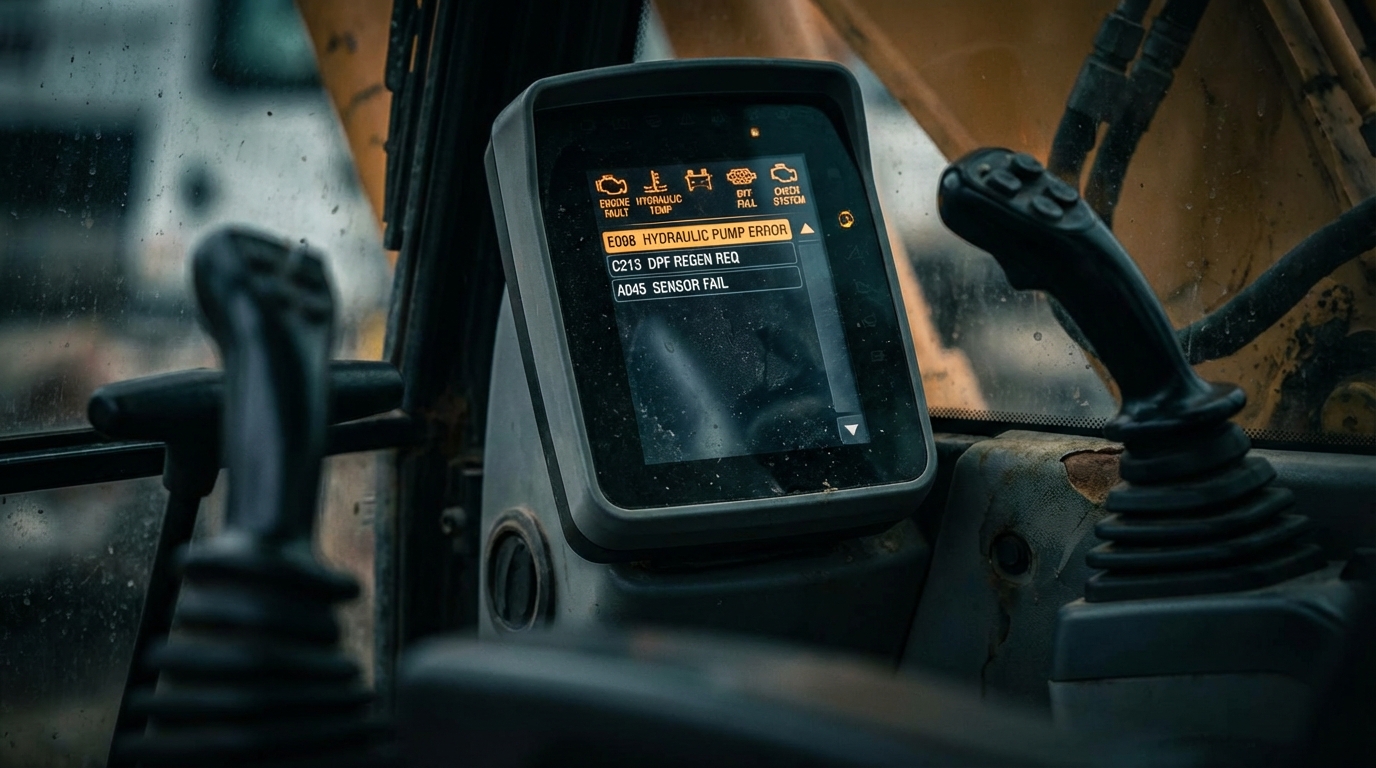
Most machines built after 2015 display active fault codes directly on the instrument cluster or LCD screen. The format varies by manufacturer, but you’ll typically see the code number, a brief description, and sometimes a severity icon.
Limitation: Only shows active codes. Won’t show you historical/logged codes or codes from non-engine ECMs.
Method 2: Blink Codes
Older equipment without digital displays uses “blink codes” — the diagnostic light flashes in a pattern that corresponds to a fault code. For example, three flashes, pause, two flashes = Code 32.
Limitation: Tedious to read, limited to engine codes only, and easy to miscount.
Method 3: Handheld Code Readers
A dedicated heavy-equipment diagnostic tool connects to the machine’s diagnostic port (typically a 9-pin Deutsch connector for J1939) and reads all active and logged codes from all ECMs.
Handheld Code Readers: Pros & Cons
✅ Reads all ECMs, not just engine
✅ Shows active AND historical codes
✅ Many include code descriptions
✅ Portable — keep one on every truck
✅ Entry-level units start around $50
❌ Basic units only read/clear codes — no live data
❌ Premium units with live data run $500-$3,000
❌ Some manufacturer-specific codes require OEM tools
❌ Software updates may require subscription
Method 4: OEM Diagnostic Software
This is what the dealer uses. Programs like Cat ET (Electronic Technician), John Deere Service Advisor, and Komatsu KCESS provide full diagnostic access — live sensor data, ECM reprogramming, calibration, and advanced troubleshooting.
Limitation: Expensive ($2,000-$5,000+ for software and hardware), requires training, and manufacturers often restrict access.
Method 5: Telematics / Fleet Management
Modern fleet management platforms — including FieldFix — can capture fault codes automatically via telematics hardware or manual entry. This gives you a centralized view of fault codes across your entire fleet, with historical trending.
What To Do When a Code Appears
Here’s a decision framework your operators and service techs can follow:
The 5-Step Fault Code Response
Step 1: Record it. Write down the exact code (SPN + FMI or manufacturer code), the time, what the machine was doing, and any symptoms. Pull out your phone and snap a picture of the dashboard.
Step 2: Assess severity. Is this Level 1-2 (monitor/schedule service) or Level 3-4 (derate/shutdown)? If the machine is derating or shutting down, don’t fight it.
Step 3: Check the basics. Before assuming the worst, verify the fundamentals — fluid levels, filter condition, connections, and visual inspection. A shocking number of fault codes trace back to a loose connector or a low fluid level.
Step 4: Cross-reference. Look up the code in your service manual or diagnostic tool. Does it match the symptoms? Is there a known fix or service bulletin?
Step 5: Decide — fix or escalate. If it’s a common issue with a clear fix (low DEF, dirty filter, loose wire), handle it. If the code points to internal component failure or you’re not sure, get a qualified technician involved.
Ghost Codes and Intermittent Faults
“Ghost codes” — fault codes that appear and then clear themselves — drive fleet managers and technicians crazy. The temptation is to dismiss them. Don’t.
Why Ghost Codes Matter
An intermittent fault means the condition did occur, even if briefly. Common causes include:
- Loose electrical connections that make contact under vibration but lose it during operation
- Marginal sensor readings hovering right at the threshold
- Heat-related failures that only manifest at operating temperature
- Wiring harness chafing that creates intermittent shorts
- ECM software glitches (yes, machines have bugs too)
The Pattern Is the Diagnosis
A single ghost code might be noise. But if you see the same code appearing every 40-50 hours, that’s not a ghost — that’s a pattern. And patterns predict failures.
Track Ghost Codes Over Time
This is where digital maintenance logs shine over paper. When every fault code is logged with a timestamp and machine hours, you can spot patterns that would be invisible otherwise. Fleet managers using FieldFix’s diagnostic tracking report catching 23% more developing failures before they become breakdowns, specifically because they can trend intermittent codes.
How to Handle Ghost Codes
- Log every occurrence — date, time, hours, conditions
- Look for triggers — does it happen at cold start? Under load? At specific RPM?
- Inspect connections — wiggle test wiring harnesses and connectors while monitoring live data
- Check for service bulletins — manufacturers issue updates for known intermittent fault issues
- Set a threshold — if the same code appears 3+ times in 100 hours, investigate proactively
How AI Changes Fault Code Diagnostics
Traditional fault code diagnosis is linear: code appears → look up code → follow troubleshooting tree → fix. It works, but it misses context.
AI-powered diagnostics add something human technicians have always relied on but couldn’t scale: pattern recognition across machines, history, and conditions.
What AI Diagnostics Can Do
Cross-Reference with History: When SPN 3521 FMI 7 appears, AI doesn’t just tell you “SCR catalyst not responding.” It checks your maintenance history — when was the DEF filter last changed? Has this machine had previous aftertreatment issues? What was done last time?
Correlate Multiple Codes: A human sees three separate fault codes and troubleshoots each one independently. AI recognizes that SPN 110 (coolant temp high) + SPN 167 (hydraulic temp high) + SPN 3719 (DPF outlet temp high) appearing together likely point to a cooling system issue affecting multiple systems — not three separate problems.
Predict Before Failure: By analyzing fault code frequency and progression patterns across thousands of machines, AI can identify when a machine is trending toward a failure — often days or weeks before it actually breaks down.
When AI Isn’t Enough
AI diagnostics are powerful, but they’re not a replacement for qualified technicians. Escalate to a human expert when:
- Multiple high-severity codes fire simultaneously with no clear root cause
- The AI recommendation doesn’t match what you’re observing on the machine
- Internal engine or transmission codes indicate potential catastrophic failure
- Safety-related codes (brakes, steering, stability) are active
- You’ve followed the recommended fix and the code returns
The Sweet Spot: AI + Human
The most effective approach combines AI for initial diagnosis, pattern recognition, and prioritization with human technicians for hands-on inspection, complex repairs, and final decision-making. AI tells you where to look. The tech confirms and fixes.
Building a Fault Code Response Protocol
Every fleet needs a documented fault code response protocol. Here’s a framework you can adapt:
For Operators
- Don’t panic. Note the code on your phone or write it down.
- Check the severity indicator. Red/flashing = stop immediately. Yellow/steady = finish the current pass, then investigate.
- Call it in. Report the code to your supervisor or fleet manager with: machine ID, code number, what you were doing, and any symptoms (noise, smoke, loss of power, warning lights).
- Do NOT clear the code unless instructed. Clearing codes erases diagnostic information.
- Follow shutdown instructions if given. Let the machine idle 3-5 minutes before shutdown (unless it’s a Level 4 immediate stop).
For Fleet Managers
- Log the code in your fleet management system immediately.
- Check history — has this machine or code appeared before?
- Assess operational impact — can the machine work safely at reduced capacity, or does it need to come off the job?
- Decide: field fix or shop repair? Common consumable-related codes (filters, fluids, DEF) can often be resolved in the field. Anything else goes to the shop.
- Schedule and track the repair. Don’t let codes sit in limbo.
For Technicians
- Read ALL codes — not just the active one that triggered the call. Historical codes provide critical context.
- Check live data alongside the code. Does the sensor reading match the code description?
- Start with the simplest cause. Loose connector? Low fluid? Dirty sensor? Check these before ordering parts.
- Verify the fix. After repair, clear codes, run the machine under load, and confirm the code doesn’t return.
- Document everything. What was the code, what was the root cause, what was done, and what parts were used.
Case Study: Pattern Recognition Saves $18,000
A landscape contractor running three compact track loaders started seeing intermittent SPN 100 FMI 17 (engine oil pressure — low caution) on one machine. It only appeared at startup and cleared within 30 seconds. The operator dismissed it for two weeks.
When they finally logged into their fleet management system and reviewed the trending data, the pattern was clear: the code was appearing more frequently, and the oil pressure was taking longer to build each time. A technician inspection revealed a failing oil pump — still functional, but deteriorating.
The oil pump replacement cost $1,400 in parts and labor. If that pump had failed completely during operation, the resulting bearing damage would have required an engine rebuild estimated at $19,500. The fleet management data paid for itself that day.
Stop Guessing. Start Tracking.
Fault codes aren’t annoyances — they’re your equipment’s early warning system. The difference between a fleet that runs profitably and one that’s constantly hemorrhaging repair costs often comes down to one thing: how seriously you take your codes.
Log every code. Trend the data. Build a response protocol. And stop dismissing the “ghost” codes that keep popping up — they’re trying to tell you something.
Track Every Fault Code, Spot Every Pattern
FieldFix logs fault codes alongside your maintenance history, giving you the full diagnostic picture — not just today’s code, but the trend that predicts tomorrow’s failure.
Free for up to 3 machines. No credit card required.