Costs Pro
Know what every machine costs you per hour.
Log fuel, parts and payments on each machine, or snap the receipt and let FieldFix fill it in. It works out the cost per hour to run and own, so you know which machines earn their keep and what to charge.
Costs are part of Pro: $10 per machine per month, cancel anytime.
Snap the receipt. Check it. Save.
On a machine's Costs tab, tap Add expense, then Scan a receipt and take a photo or pick a PDF. FieldFix reads the amount, date and category, and puts the vendor and what was bought in the notes. The receipt stays attached.
Check it over before you save. If it can't read the receipt, fill it in by hand or try a clearer photo.
Categories
- Fuel
- Fluids
- Parts
- Loan payment
- Rental
- Insurance
- Maintenance
- Shop service
- Other
- Amount
- $127.43
- Date
- Oct 14
- Category
- Parts
- Notes
- Parts store: hydraulic filter
What you get on the Costs tab
Cost per hour
Running cost (fuel, fluids, parts, service, insurance) plus owning cost (depreciation or loan and rental payments), spread over the hours the machine ran.
Market value
FieldFix searches auction results and dealer and marketplace listings for the same model and similar hours, and gives you a likely range with the comparable machines it found.
Book value
Add what you paid, when, and the hours at purchase. Pick by hours used or by year, and FieldFix tracks what the machine is worth on paper.
The whole fleet
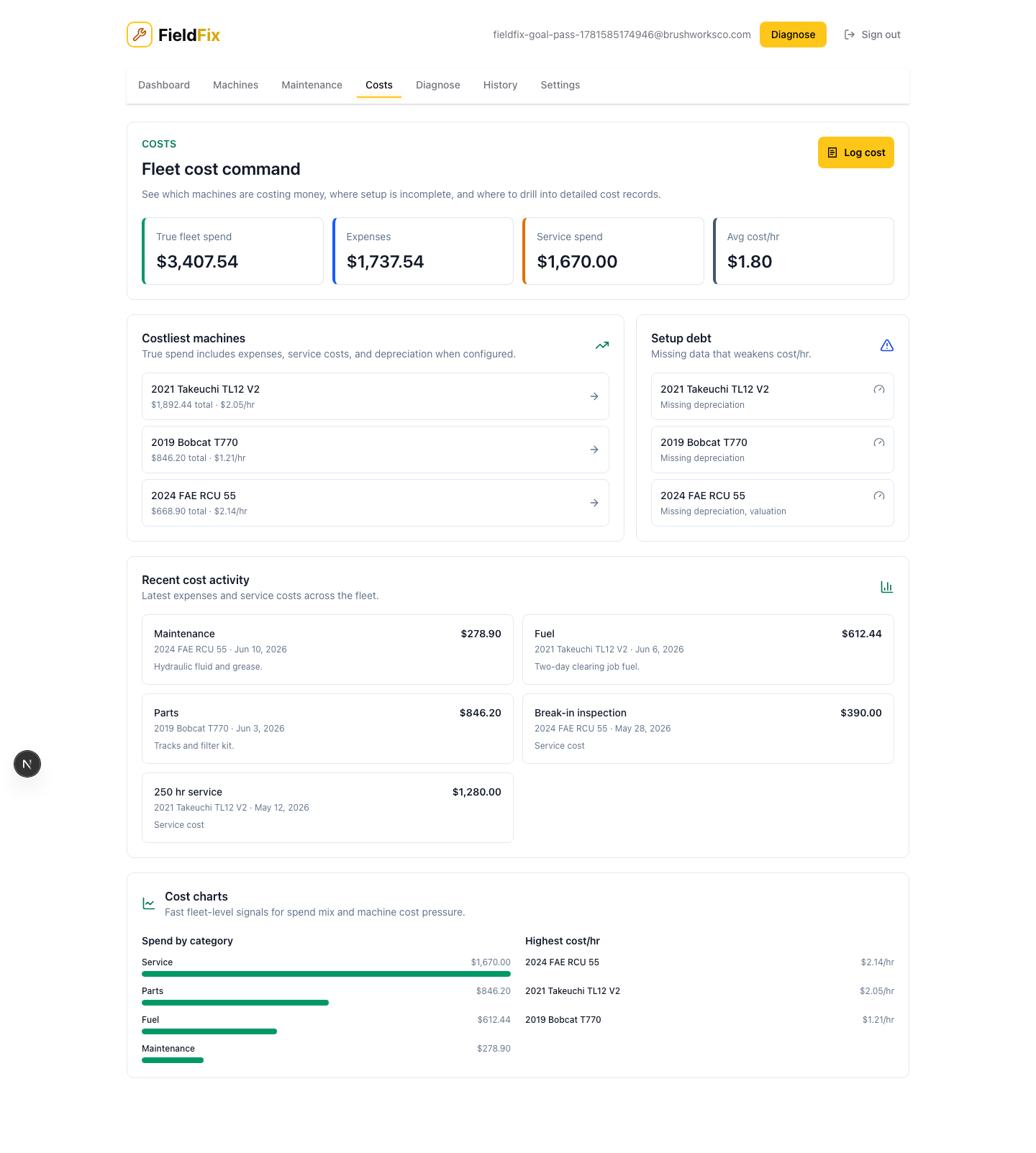
Costs in the menu ranks every machine by cost per hour, shows where the money went over the last 90 days, and lists recent spending.
Service records with a cost count toward the running number too, so a dealer invoice you scanned into the service history shows up in cost per hour without logging it twice. Need it on paper? Export a machine's PDF report or a spreadsheet of its expenses.
Put your first machine in. It's free.
Go Pro when you want costs and the rest of the fleet.